#!/usr/local/cpanel/3rdparty/bin/perl

#                                      Copyright 2026 WebPros International, LLC
#                                                           All rights reserved.
# copyright@cpanel.net                                         http://cpanel.net
# This code is subject to the cPanel license. Unauthorized copying is prohibited.

package scripts::mass_change_php_setting;

use cPstrict;
use Getopt::Long;

use Cpanel::Config::userdata ();
use Cpanel::PackMan          ();
use Cpanel::PHP::Config      ();
use Cpanel::PHP::Vhosts      ();
use Cpanel::ProgLang         ();
use Cpanel::SafeRun::Object  ();
use Cpanel::WebServer        ();

sub usage ( $err_msg = undef ) {

    if ( defined $err_msg ) {
        say "Error: $err_msg\n";
    }

    print <<"END_MESSAGE";
Usage: $0 <php_from> <php_to> [--dryrun|-d] [--verbose|-v]
Change all users with PHP version set to <php_from> to <php_to>.
Arguments:
  <php_to>      The PHP version to change to (e.g. ea-php74)
  <php_from>    The PHP version to change from (e.g. ea-php73)
Options:
  --dryrun, -d  Show what would be changed, but do not make any changes.
  --verbose, -v Show detailed output of the changes being made.

Note:
    This *will* restart the webserver.
    This *will* restart any PHP-FPM services that are affected by the change.

**IMPORTANT NOTE**
If php_from is the system default, the system default will be changed to php_to.

Example:
    $0 ea-php73 ea-php74 --verbose

See also: /usr/local/cpanel/scripts/show_php_settings

    show_php_settings allows you to see the current PHP settings for all users and domains.

END_MESSAGE
    if ( defined $err_msg ) {
        return 1;
    }

    return 0;
}

our %package_cache;

sub _does_the_package_exist ($package) {

    if ( !%package_cache ) {
        my $packman = Cpanel::PackMan->instance();
        my $sys     = $packman->sys();
        my @array   = $packman->list( state => 'installed' );
        %package_cache = map { $_ => 1 } @array;
    }

    return 1 if ( exists $package_cache{$package} );
    return 0;
}

sub script ( $php_from, $php_to, $dryrun = 0, $verbose = 0 ) {

    unless ( defined $php_to && defined $php_from ) {
        return usage("Both <php_from> and <php_to> arguments are required.");
    }

    # Dryrun implies verbose
    $verbose = 1 if $dryrun;

    say "Changing PHP setting from '$php_from' to '$php_to'" if $verbose;
    say "(Dry run mode)"                                     if $dryrun;

    # Check and make sure both versions are valid.
    # The format is xx-phpYY where YY is the version number without the dot.
    # Nothing else is permitted

    foreach my $ver ( $php_from, $php_to ) {
        unless ( $ver =~ m/^[a-z]{2,}-php[0-9]{2}$/ ) {
            die "Invalid PHP version format: '$ver'. Expected format is 'xx-phpYY' where YY is the version number without the dot.\n";
        }
    }

    if ( !_does_the_package_exist($php_from) ) {
        die "The specified 'from' PHP version package '$php_from' is not installed on the system.\n";
    }

    if ( !_does_the_package_exist($php_to) ) {
        die "The specified 'to' PHP version package '$php_to' is not installed on the system.\n";
    }

    my $php                = Cpanel::ProgLang->new( 'type' => 'php' );
    my $system_php_version = $php->get_system_default_package();
    my $changed_default    = 0;
    my $made_changes       = 0;

    # Let's check to see if anything will change or not.

    if ( $system_php_version eq $php_from ) {
        $changed_default++;
        $made_changes++;
    }

    my @users = Cpanel::Config::userdata::load_user_list();

    my $versions = Cpanel::PHP::Vhosts::get_php_vhost_versions_from_php_config( Cpanel::PHP::Config::get_php_config_for_users( \@users ) );

    foreach my $domain (@$versions) {
        my $user        = $domain->{account};
        my $vhost       = $domain->{vhost};
        my $current_ver = $domain->{version};
        my $is_default  = 0;
        $is_default = 1 if ( exists( $domain->{phpversion_source}->{system_default} ) );

        next if $is_default;    # Skip system default vhosts as they were handled above, by changing the system default.

        if ( $current_ver eq $php_from ) {
            $made_changes++;
        }
    }

    if ( $made_changes == 0 ) {
        say "No changes needed. Exiting." if $verbose;
        return 0;
    }

    # OK changes are needed, so stop the webserver to make sure all changes are cleanly applied.

    unless ($dryrun) {
        say "Stopping Webserver ..." if $verbose;
        my $result = Cpanel::SafeRun::Object->new(
            'program' => '/usr/local/cpanel/scripts/restartsrv_httpd',
            'args'    => ['stop'],
        );
        if ( $result->CHILD_ERROR ) {
            die "Failed to stop the webserver. " . $result->autopsy() . "\n";
        }
        say "Webserver Stopped" if $verbose;
    }

    if ( $system_php_version eq $php_from ) {
        say "System default PHP version matches 'from' version. Changing system default to '$php_to'" if $verbose;
        unless ($dryrun) {
            my $apache = Cpanel::WebServer->new()->get_server( 'type' => 'apache' );
            $apache->set_default_package( 'lang' => $php, 'package' => $php_to, 'restart' => 0 );
        }
    }

    foreach my $domain (@$versions) {
        my $user        = $domain->{account};
        my $vhost       = $domain->{vhost};
        my $current_ver = $domain->{version};
        my $is_default  = 0;
        $is_default = 1 if ( exists( $domain->{phpversion_source}->{system_default} ) );

        next if $is_default;    # Skip system default vhosts as they were handled above, by changing the system default.

        if ( $current_ver eq $php_from ) {
            say "Changing user '$user' domain '$vhost' from PHP version '$php_from' to '$php_to' ..." if $verbose;
            unless ($dryrun) {

                # These functions are designed to be run for a list of vhosts, but for this script
                # I will do one at a time so we can have more granular output.

                $domain->{version} = $php_to;
                my $setup_vhosts_results = Cpanel::PHP::Vhosts::setup_vhosts_for_php( [$domain] );

                if ( $setup_vhosts_results->{failed} && @{ $setup_vhosts_results->{failed} } ) {
                    say "  Failed to change PHP version for user '$user' domain '$vhost': " . $setup_vhosts_results->{failed}->[0]->{error};
                }
                else {
                    say "  Successfully changed PHP version for user '$user' domain '$vhost'" if $verbose;
                }
            }
        }
    }

    unless ($dryrun) {
        say "Rebuilding PHP-FPM Configurations ..." if $verbose;
        my $fpm_result = Cpanel::SafeRun::Object->new(
            'program' => '/usr/local/cpanel/scripts/php_fpm_config',
            'args'    => ['--rebuild'],
        );
        if ( $fpm_result->CHILD_ERROR ) {
            say "Warning: Failed to rebuild PHP-FPM configurations. " . $fpm_result->autopsy();
        }
        else {
            say "PHP-FPM Configurations have been rebuilt" if $verbose;
        }

        say "Starting Webserver ..." if $verbose;
        my $start_result = Cpanel::SafeRun::Object->new(
            'program' => '/usr/local/cpanel/scripts/restartsrv_httpd',
            'args'    => ['start'],
        );
        if ( $start_result->CHILD_ERROR ) {
            say "Warning: Failed to start the webserver. " . $start_result->autopsy();
        }
        else {
            say "Webserver Started" if $verbose;
        }
    }

    return 0;
}

# Modulino behavior
unless (caller) {
    my $dryrun;
    my $help;
    my $verbose;

    my $getopt_ok = GetOptions(
        'dryrun|d'  => \$dryrun,
        'help|h'    => \$help,
        'verbose|v' => \$verbose,
    );

    if ( !$getopt_ok ) {
        exit usage('Invalid option or argument.');
    }

    my ( $php_from, $php_to ) = @ARGV;

    if ($help) {
        exit usage();
    }

    exit script( $php_from, $php_to, $dryrun // 0, $verbose // 0 );
}

1;

__END__

=head1 NAME

scripts::mass_change_php_setting - Change PHP versions for multiple domains

=head1 SYNOPSIS

    /usr/local/cpanel/scripts/mass_change_php_setting <php_from> <php_to> [options]

    # Change all domains from PHP 7.4 to PHP 8.2
    /usr/local/cpanel/scripts/mass_change_php_setting ea-php74 ea-php82

    # Preview changes without applying them
    /usr/local/cpanel/scripts/mass_change_php_setting ea-php74 ea-php82 --dryrun

    # Change with verbose output
    /usr/local/cpanel/scripts/mass_change_php_setting ea-php74 ea-php82 --verbose

=head1 DESCRIPTION

This script allows administrators to migrate all domains using one PHP version
to another PHP version. It is useful when deprecating an older PHP version or
upgrading multiple accounts at once.

The script performs the following actions:

=over 4

=item 1. Validates that both PHP versions are installed on the system

=item 2. Stops the web server to ensure clean configuration changes

=item 3. Updates the system default PHP version if it matches the 'from' version

=item 4. Changes the PHP version for all domains currently using the 'from' version

=item 5. Rebuilds PHP-FPM configurations

=item 6. Restarts the web server

=back

Domains that inherit the system default PHP version are automatically updated
when the system default changes; they are not modified individually.

=head1 ARGUMENTS

=over 4

=item B<php_from>

The PHP version to change from (e.g., C<ea-php74>, C<ea-php81>). This version
must be installed on the system.

=item B<php_to>

The PHP version to change to (e.g., C<ea-php82>, C<ea-php83>). This version
must be installed on the system.

=back

=head1 OPTIONS

=over 4

=item B<--dryrun>, B<-d>

Show what changes would be made without actually applying them. This option
implies C<--verbose>.

=item B<--verbose>, B<-v>

Display detailed output showing each domain being changed and the progress
of the operation.

=item B<--help>, B<-h>

Display usage information and exit.

=back

=head1 EXIT STATUS

Returns 0 on success or when displaying help, and 1 on error.

=head1 WARNINGS

=over 4

=item *

This script B<will restart the web server>. Plan accordingly for brief
downtime during the migration.

=item *

This script B<will restart PHP-FPM services> affected by the change.

=item *

If the 'from' version is the system default, the system default B<will be
changed> to the 'to' version.

=back

=head1 EXAMPLES

=head2 Migrate from PHP 7.4 to PHP 8.2

    /usr/local/cpanel/scripts/mass_change_php_setting ea-php74 ea-php82 --verbose

=head2 Preview migration without making changes

    /usr/local/cpanel/scripts/mass_change_php_setting ea-php74 ea-php82 --dryrun

=head1 SEE ALSO

L<scripts::show_php_settings> - Display current PHP settings for all domains

=cut
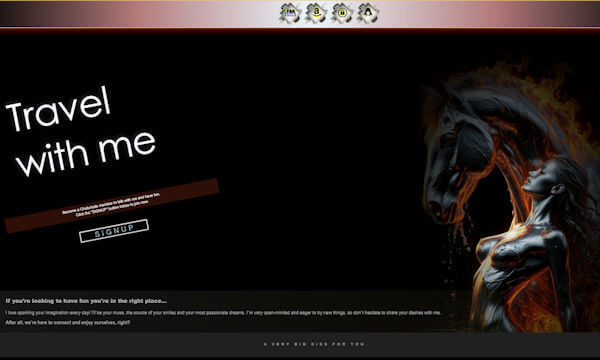
Elevate your image as a model with a space designed to provoke, attract, and turn glances into desire. A striking profile not only conveys style and confidence but also foreshadows…
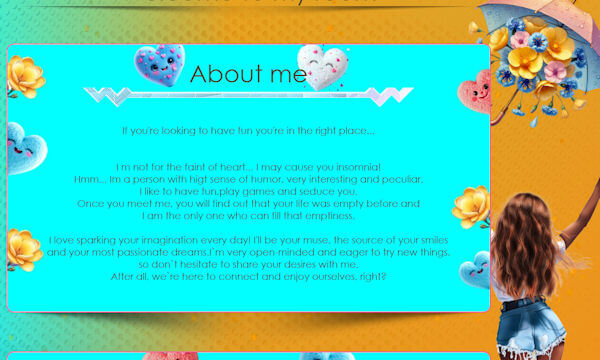
Elevate your image as a model with a clean, polished, and sophisticated profile. A harmonious design conveys confidence, professionalism, and a more exclusive experience for your followers. Integrate your Chaturbate…
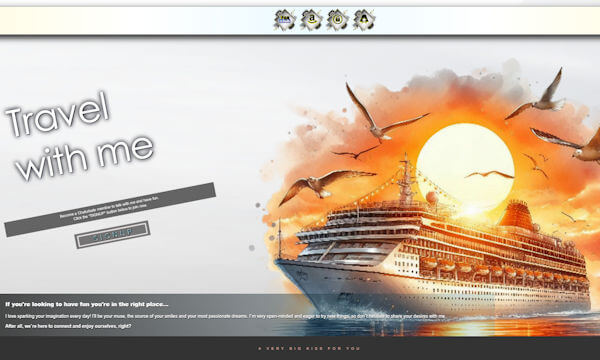
Because your content deserves a good frame: this design enhances your profile, improves navigation, and makes it clear that you're a model who takes her work seriously. WATCH DEMO Instructions…
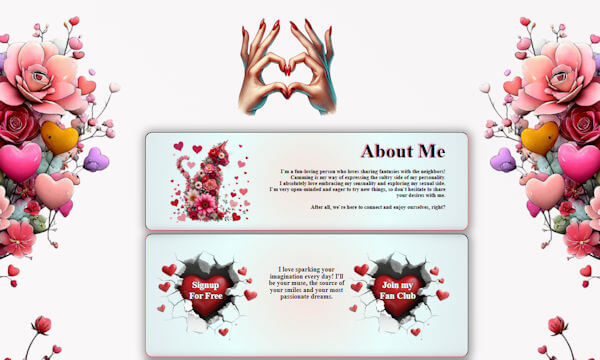
Elevate your image as a model: a well-designed profile conveys seriousness, style, and a more polished experience for your followers. WATCH DEMO Instructions with images are available in this article.…
Designed to attract, retain, and build loyalty: a functional and sexy design that complements your show and strengthens your presence on Chaturbate. WATCH DEMO Instructions with images are available in…
Let your profile speak for you: this design highlights your personality and creates an immediate connection with those who come to get to know you. WATCH DEMO Instructions with images…
A profile that sells without saying a word: a sensual style and visual order that communicates value, exclusivity, and professionalism. WATCH DEMO Instructions with images are available in this article.…
Strategic design for ambitious models: improve first impressions, organize your content, and boost interaction with your viewers. WATCH DEMO Instructions with images are available in this article. The code below…
Visual impact that attracts more attention: an aesthetic designed to grab attention and ensure your profile doesn't go unnoticed. WATCH DEMO Instructions with images are available in this article. The…
Your space, your identity: this design helps you show who you are, what you offer, and why it's worth staying in your room. WATCH DEMO Instructions with images are available…
 Mini Shell